

Your tables fill up while you're in the kitchen
Delova booking sits on your own website. Guests pick the party size, the date and a slot; you decide whether the table confirms itself or waits for your nod.
Optional · €60/monthYou keep control
You set it, service by service.
Automatic confirmation
The guest leaves with a table. The slots they see already account for your tables and your opening hours: what is offered is free.
Requests to approve
The request comes in and you say yes or no from the counter. Keep Saturday night by hand, let Tuesday lunch confirm itself.
Already running
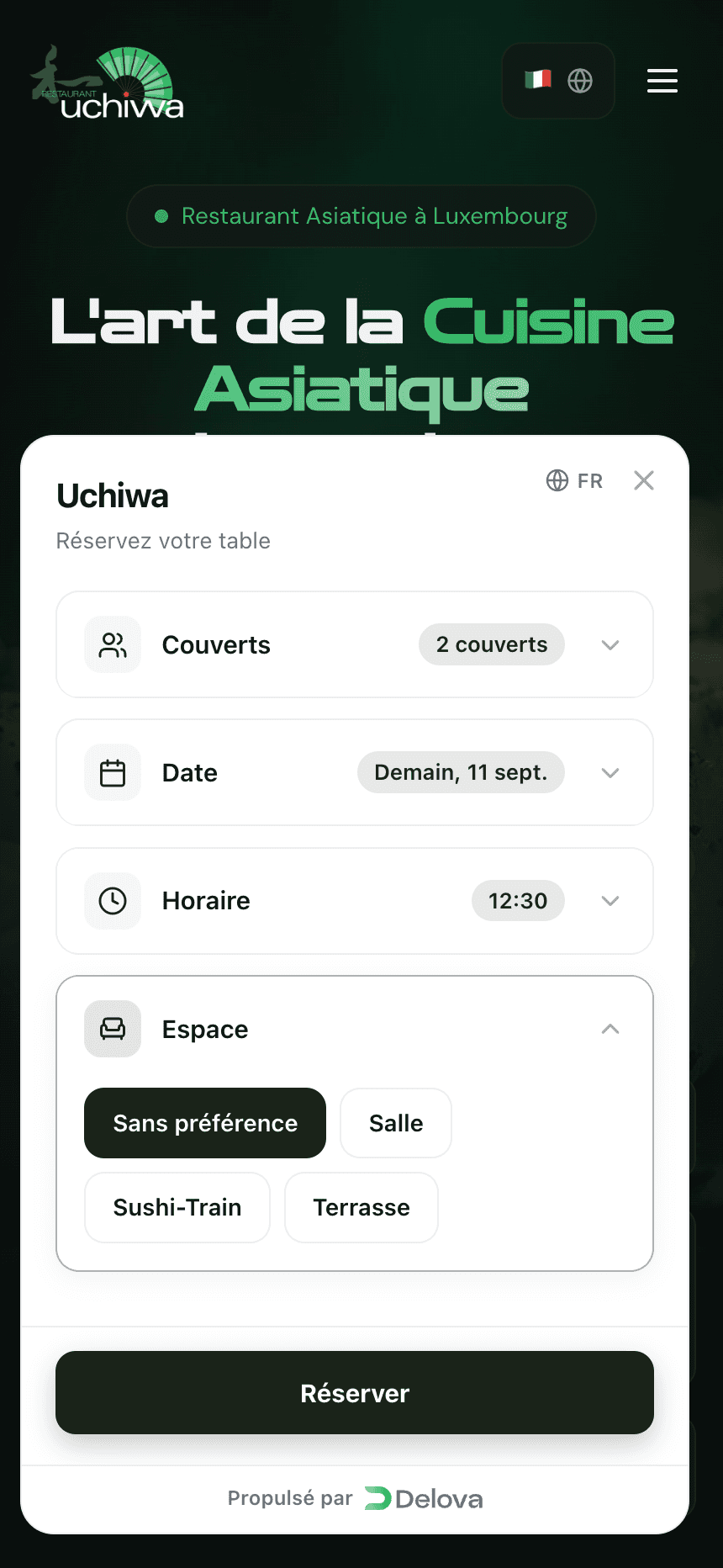
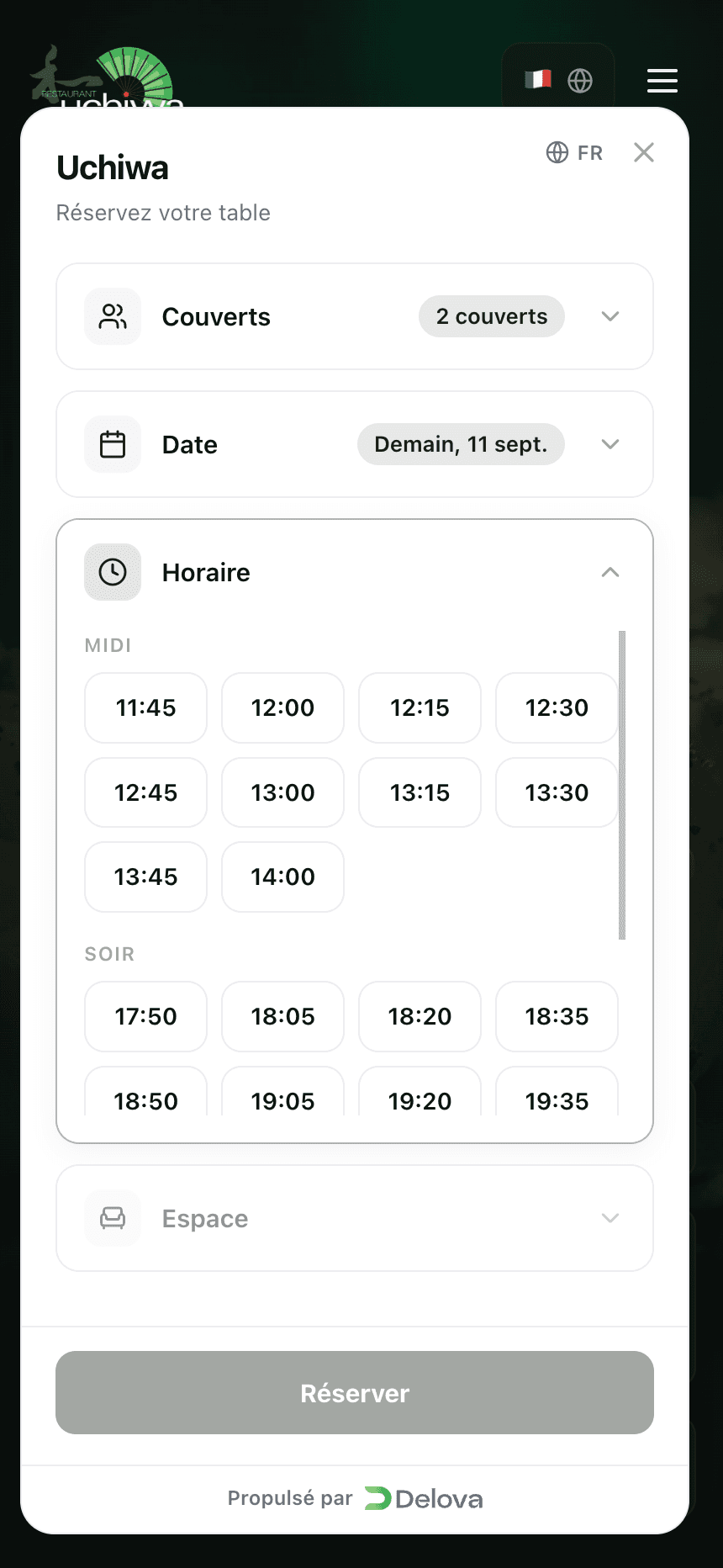
3 of the restaurants we show take their bookings with Delova. Their pages are public: go ahead and press the button.
See the restaurantsWhat your guest sees
- 1
They say how many
A number, not a form. Nothing else opens before that choice: availability depends on the size of the table.
- 2
They pick a date
Today, tomorrow, or another day. A full day says so up front — nobody fills in three fields only to learn at the end that there's no room left.
- 3
They take a real slot
The times on screen are the ones still open, grouped by service. What a guest sees is what you can hold.
- 4
The table reaches you
It shows up in Delova Pro with the day's plan. Guests can change or cancel it without ever creating an account.
What you should know
It goes on the website you already have
Booking is a module of its own: it can be set up even if you don't take your orders through Delova. One line to add to your page, and the button is there.
At the counter
Requests to approve and the day's plan sit in the Delova Pro app, next to the orders. One screen to watch during service.
What it costs
Optional · €60/month
Switch it on whenever you like from the Delova Pro app, under “My options”.
Common questions
Do I need the Delova Pack to take bookings?
No. Booking runs on its own on your website, even without online ordering. It costs €60 a month.
Do my guests need an account?
No. They book, change and cancel without one.
Do I keep control of my tables?
Yes. Service by service, you choose between automatic confirmation and requests you approve from Delova Pro.
Can guests book a particular room?
Yes, if you declare your spaces. At Uchiwa, guests pick between the dining room, the Sushi-Train and the terrace.
Your tables could fill up tonight
You switch the option on from Delova Pro once your account is open. For booking on its own, write to us: it is set up by hand.